DSC Not Working in Trademark Filing? (2026 Update)
Big Relief from Trademark Office – Now Use DSC in Chrome, Edge & All Browsers!
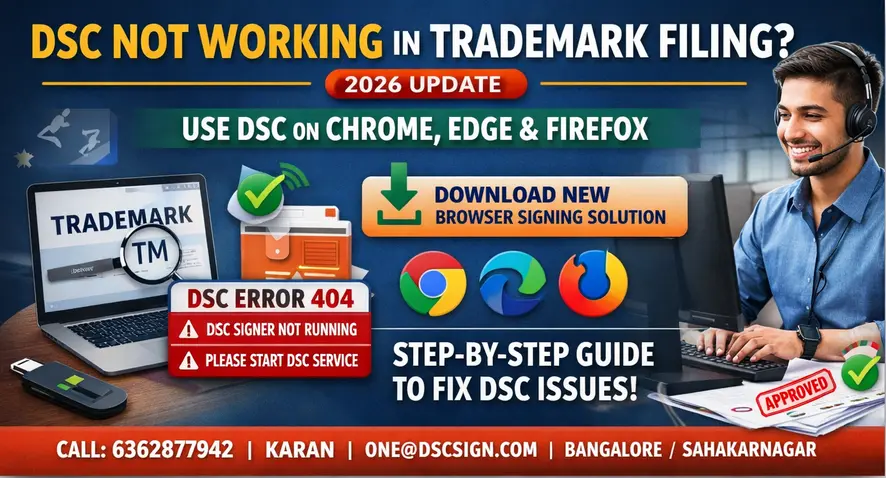
If you are a Trademark Agent, Advocate, Company Secretary, Legal Professional, or Applicant, you might have recently faced errors like DSC not working, “DSC Signer Not Running”, “Please Start DSC Service”, Error 404 while e-signing, or unable to attach Digital Signature in trademark application filing.
From 19th March 2026, a major update has been introduced in the Trademark Digital Signature (DSC) signing process. This change has brought a permanent solution to most of these issues and simplified the trademark filing experience across India.
❗ What Was the Problem Earlier?
Earlier, Trademark filing using Digital Signature (DSC) was restricted to Internet Explorer (IE) browser only. This created multiple technical and security issues for professionals and applicants.
- Internet Explorer is outdated and no longer supported
- Frequent security pop-up issues while signing
- Browser compatibility problems
- Difficulty in installing and running DSC signer utility
🚨 Latest Issues Faced by Users (2026)
In the recent days, many Trademark Agents, Advocates, and Applicants have reported sudden errors such as:
- “DSC Signer Not Running”
- “Please Start DSC Service”
- Error 404 while e-signing
- Unable to attach DSC in Trademark application
These errors mainly occurred due to dependency on old signer utilities and Internet Explorer-based signing system, which is now being phased out.
Due to these issues, many users were unable to complete trademark filings, renewals, or responses, leading to delays and compliance concerns.
✅ What Has Changed Now? (2026 Update)
From 19th March 2026, the Trademark Office has introduced a Browser-Based Signing Solution, bringing a major relief to all users.
This new system eliminates the dependency on Internet Explorer and allows seamless Digital Signature (DSC) usage across modern browsers.
🚀 Key Benefits of the New System
- ✔ Supports Google Chrome, Microsoft Edge, Firefox and other browsers
- ✔ No need to use outdated Internet Explorer
- ✔ Resolves errors like “DSC Signer Not Running” and “Please Start DSC Service”
- ✔ Faster and more secure signing process
- ✔ Easy installation and user-friendly interface
With this update, trademark applicants and professionals can now complete filings, replies, and registrations smoothly without technical interruptions.
This is a significant improvement towards secure, modern, and hassle-free trademark filing in India.
📥 Step-by-Step Guide: Fix DSC Issue in Trademark Filing
Step 1: Download the Browser Signing Solution
Download the official Browser Signing Solution from the link below:
Download Browser Signing Solution
Step 2: Install the Utility
After downloading, open the setup file (BrowserSigningSolution.msi) and follow the installation steps:
- Double click the setup file
- Click Next → Install → Finish
- Installation will complete within few seconds
Step 3: Run the Application
- After installation, a shortcut will appear on your desktop
- Right-click and click Open
Step 4: Ensure DSC Service is Running
Once started, the Browser Signing Solution will run in the background.
- Runs on default port: 127.0.0.1:1620
- You will see a notification confirming the service is active
Important: If you see errors like “DSC Signer Not Running” or “Please Start DSC Service”, it means this utility is not running. Open it before proceeding.
Step 5: Use DSC in Trademark Filing
Now login to the Trademark portal and proceed with filing:
- Attach your DSC token
- Select certificate
- Click Sign
- Submit application successfully
Once the service is running, DSC signing will work smoothly in Chrome, Edge, and other browsers.
🔍 Update: New Trademark Search Tool (2026)
Along with the Digital Signature (DSC) update, the Trademark Office has also introduced an improved Trademark Search system to help applicants make better decisions before filing.
👉 Use the new Trademark Search portal:
Access New Trademark Search Tool
✨ Key Benefits
- ✔ Improved and faster search results
- ✔ Check identical or similar trademarks easily
- ✔ View trademark name, logo, and status
- ✔ Helps in better decision-making before filing
This updated system enables applicants, advocates, and professionals to conduct a more reliable trademark search and reduce chances of objection or rejection.
💼 Need help with Trademark Registration?
In Bangalore leading trademark Registration consultant,
assisting startups, professionals, and businesses with end-to-end trademark filing, objection handling,
and registration support.
⚠️ Common DSC Errors & Quick Fix Solutions
After the recent update, many users are still facing issues due to improper setup or missing steps. Below are the most common errors and how to fix them:
| Error Message | Reason | Solution |
|---|---|---|
| DSC Signer Not Running | Signing utility not started | Open Browser Signing Solution before signing |
| Please Start DSC Service | Service not active on system | Run the utility and ensure port 1620 is active |
| Error 404 while e-sign | Browser/session issue | Clear cache, restart browser, reopen utility |
| DSC Not Detecting | Token/driver issue | Reconnect token and install latest drivers |
| Unable to e-sign application | Utility not running or browser blocked | Allow permissions and ensure service is running |
Tip: Always start the Browser Signing Solution before logging into the Trademark portal to avoid most of these errors.
💡 Pro Tips for Smooth DSC Usage
- ✔ Always start the Browser Signing Solution before login
- ✔ Use updated browsers like Chrome or Edge
- ✔ Keep your DSC drivers and Java updated
- ✔ Insert DSC token properly before signing
- ✔ Avoid using multiple DSC utilities at the same time
🧰 DSC Support, Setup & Purchase
If you are still facing issues with Digital Signature in Trademark filing, our expert team will help you with complete setup, troubleshooting, and DSC issuance.
- 👉 Download DSC Utilities & Setup Guide
- 👉 Buy Class 3 Digital Signature Certificate
- 👉 Contact DSC Support Team
📞 Contact DSC Sign Office – Bangalore
Address: No 17/1, 2nd Floor, Sahakarnagar, Bangalore – 560092
Working Hours: Monday to Saturday | 11:00 AM – 8:00 PM
Contact Person: Karan
Phone: 6362877942
Email: one@dscsign.com
We provide end-to-end Digital Signature services including installation, renewal, troubleshooting, and usage support for Trademark, MCA, GST, and Income Tax filings.
🎯 Final Note: With the latest 2026 update, DSC signing for Trademark filing is now easier, faster, and compatible with modern browsers. If you are still facing any issues, our team is here to assist you completely.
If your DSC is not working in trademark filing, especially showing ‘DSC signer not running’ or ‘please start DSC service’, this 2026 update provides the exact fix.
❓ Frequently Asked Questions (DSC for Trademark Filing)
Why is DSC not working in trademark filing?
DSC was earlier dependent on Internet Explorer and old signer utilities. With the latest 2026 update, the system now requires Browser Signing Solution to work properly in modern browsers.
How to fix “DSC signer not running” error?
Install and run the Browser Signing Solution before attempting to sign. Ensure the service is running in the background (port 1620 active).
How to resolve “Please start DSC service” issue?
This error occurs when the signing utility is not active. Open the installed Browser Signing Solution and then retry signing.
Can DSC be used in Chrome for trademark filing?
Yes. After the 19 March 2026 update, DSC can be used in Chrome, Edge, and other modern browsers using the Browser Signing Solution.
What is Browser Signing Solution?
It is a utility introduced by the Trademark Office that allows secure Digital Signature (DSC) signing in modern browsers without Internet Explorer.
✅ Hope this guide helped you resolve your DSC issues in Trademark filing.
If you are still facing any problem, reach out to us — we are here to assist you.